How to Optimize Blog Posts for Search: 31 Practical Tips

TL;DR Summary: Good blog post SEO is not just about keywords. It is about making your content genuinely helpful, easy to scan, well-structured, fast-loading, visually clear, and backed by examples or sources. The best posts usually answer the question quickly, guide the reader through the page, and give people a reason to trust what they are reading.
On-Page SEO Tips to Help Blog Posts Rank Better
This is What I Do – My Process
If you want blog posts to perform better in search, it usually is not one big trick that changes everything. It is a bunch of smart, helpful choices that make the page easier to understand, easier to trust, and easier to use.
Below are 31 practical on-page SEO tips that can help you create blog posts that are more useful for readers and stronger for search visibility.
On-Page SEO Tips for Blog Posts:
1. Start with search intent, not just a keyword
Before you write anything, make sure you understand what the person is actually trying to find. Are they looking for a quick answer, a tutorial, a comparison, a checklist, or a deeper explanation? A post that matches the real intent behind the search has a much better chance of performing well.
2. Use AI as a helper, not as the final writer
If you use AI, give it the sources you want to use, ask it for an outline, and brainstorm with it for a while before you start drafting. That part can be very helpful. But the final page still needs your judgment, your structure, your examples, and your edits.
3. Ask for an outline before writing the full article
This is one of the best ways to avoid rambling. A good outline helps you see the page before you build it. It also makes it easier to organize the content into clear sections that are easy to scan and easier for search engines to understand.
4. Write a headline that creates curiosity
The headline should be compelling. It should make people want to keep going. In many cases, that means giving it a bit of an open loop. People naturally want to close that loop, so they click or keep reading to get the answer.
5. Give the answer early with a TL;DR section
Add a TL;DR section near the top. This is huge. Give the answer right away. This helps people know whether your page is what they have been looking for. Do not worry that people will leave if you help them too soon. In many cases, the opposite happens. When you give people what they want quickly, it builds trust and makes them more likely to keep reading.
6. Use headings because people skim
Use headings because people skim pages. They do not hang on your every word. Good headings break the page into logical sections and make it easier for the reader to find exactly what they need.
7. Make headings informative, not vague
Your headings should actually help someone navigate the article. Instead of using generic headings, write ones that tell the reader what they are about to get. A strong heading improves the reading experience and can also help search engines better understand the page structure.
8. Use numbered lists and bullet points to improve scanning
Use bullet points or numbered lists because this makes the page easier to scan. Walls of text make people work too hard. Lists create visual relief and help readers pull out the important parts more quickly.
9. Add bold text to your main points
Add bold text to your main points. This also helps with skimming. It gives readers visual anchors and helps guide them to the parts that matter most.
10. Think of the page like a presentation
Think about the page as sections. As people scroll, it should almost work like a slide deck presentation. Each section should have a purpose, move the reader forward, and make the next section feel natural.
11. Call out important sections so they are not missed
Call out key sections and points.
Make sure they are noticed and not skipped. Help the reader get through your content. This can mean using a gray box, a styled note, a quick tip, or a highlighted takeaway to make sure the most important ideas stand out.
12. Use images to explain, not just decorate
Use images. They tell the story and help explain. People learn in different ways, and most people are visual learners to some extent. A good image should make the content easier to understand, not just fill space.
13. Use real images when you can
Use real images when possible. Original photos, screenshots, diagrams, or examples often make a page more believable and more useful. They also help separate your content from pages that all look and sound the same.
14. If you use AI images, make them obviously illustrative
If you are using AI for images, illustration-style images are often better. That way, you are not pretending something fake is real. It is clearly generated, which feels more honest and usually works better visually too.
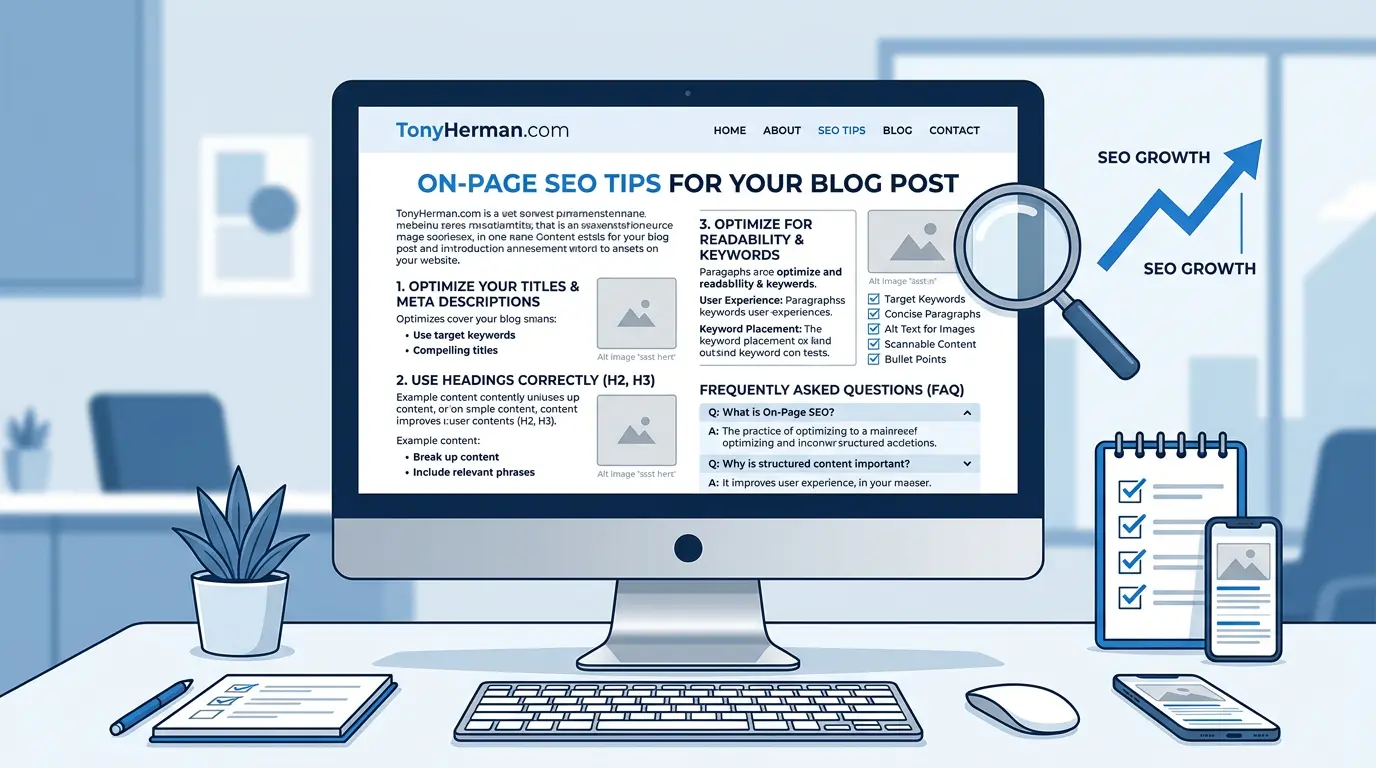
15. Add an infographic to make the page easier to understand
Ask AI to generate an infographic for the page. This can make the page easier to understand, easier to share, and potentially help it show up in additional image-based searches. It also gives people another way to grasp the point quickly.
16. Write strong alt text for images
Use good alt text, of course. Alt text helps with accessibility, but it also forces you to think clearly about what the image is contributing to the page. Good alt text is descriptive and useful, not stuffed with keywords.
17. Compress images so the page loads quickly
Minimize images so the page loads quickly. Faster pages create a better user experience, and that matters. Every extra second of load time can increase frustration, especially on mobile devices. Convert PNG images to JPG to make them smaller if you don’t need them to have a transparent background, then run them through the optimizer.
18. Keep your featured image naming consistent
Name the featured image the same as the article slug. This is minor, but it keeps things organized and consistent. It is not going to make or break rankings, but clean systems help when you are publishing a lot of content.
19. Make sure your Open Graph image is set
Make sure your image is set as the Open Graph image so that when the page is shared on social media, it looks good and gives people a reason to click. A bad preview can waste a good article.
20. Add personal stories, anecdotes, and examples
Add personal stories, anecdotes, and examples. This helps show that a real person wrote the page, reviewed it, or added to it in a meaningful way. It also makes the article more memorable and easier to trust.
21. Include original research, data, or observations
Add your own original research or statistics whenever you can. This makes the content more valuable because you are contributing something new, not just repeating what is already out there. Even small original findings can strengthen a page.
22. Link to your sources at the bottom
List sources. These are links to other websites. Do this at the bottom. It helps readers verify what you are saying, and it shows that the article is grounded in something real. It is also just a good habit.
23. Add internal links to related pages on your own site
Do not just link out to other websites. Link to relevant articles on your own site too. Internal links help readers continue learning, and they help search engines understand how your content fits together.
24. Reinforce the point with Key Takeaways
List Key Takeaways so you reinforce what the article is about. This gives readers a quick summary at the end and can help make the page more useful for people who scroll before they commit to reading the whole thing.
25. Add an FAQ section based on real questions
Have an FAQ section at the end in case people need more. Matching these up with Google’s People Also Ask questions is a smart move because it helps you address related questions people are already searching for.
26. Offer a PDF version when it makes sense
Have a PDF version of the page if that fits the topic. Sometimes people are specifically looking for a PDF version of a guide, checklist, instructions page, or reference document. Giving them that option can make the page more useful.
27. Preview the article before posting
Preview your article before posting. Look it over. Read through it. Make changes. Sometimes it helps to write the article, go do something else for a few hours, and then come back to it with fresh eyes. That is often when weak spots become obvious.
28. Put real effort into each post
One piece of content that is done really, really well is often better than 10 posts that are weak, rushed, or full of things people already know. Put time into each post. The goal is not to crank out pages. The goal is to publish something worth finding.
29. Look for topics where search results are weak
Some of the best blog post opportunities are searches where Google does not already have a great answer. If you search for something and the results are thin, outdated, vague, or frustrating, that is your opening. Do your own research, get the answer, and consider publishing something better.
30. Add a glossary
If your article has a lot of technical terms, add a glossary section at the end. It adds more content to the page and helps your website visitor.
31. Have an excerpt that’s different from your meta description
I built a plugin that helps me generate the TL;DR and also the excerpt or meta description. I try to use different text for each. It’s extra goodies you get to give search engines about your content, so use that. Later, when it’s time to optimize post even further (using data from Google Search Console), you can put more keywords into the excerpt, meta description, headings, etc.
Bonus: Offer a download
Give away a checklist, spreadsheet, PDF, or whatever for free – no email needed. When you give, people get a favorable impression of you, and if you’re asking for something from them, they’re more likely to reciprocate and want to do something to help you.
In that spirit…
Download This as a Checklist
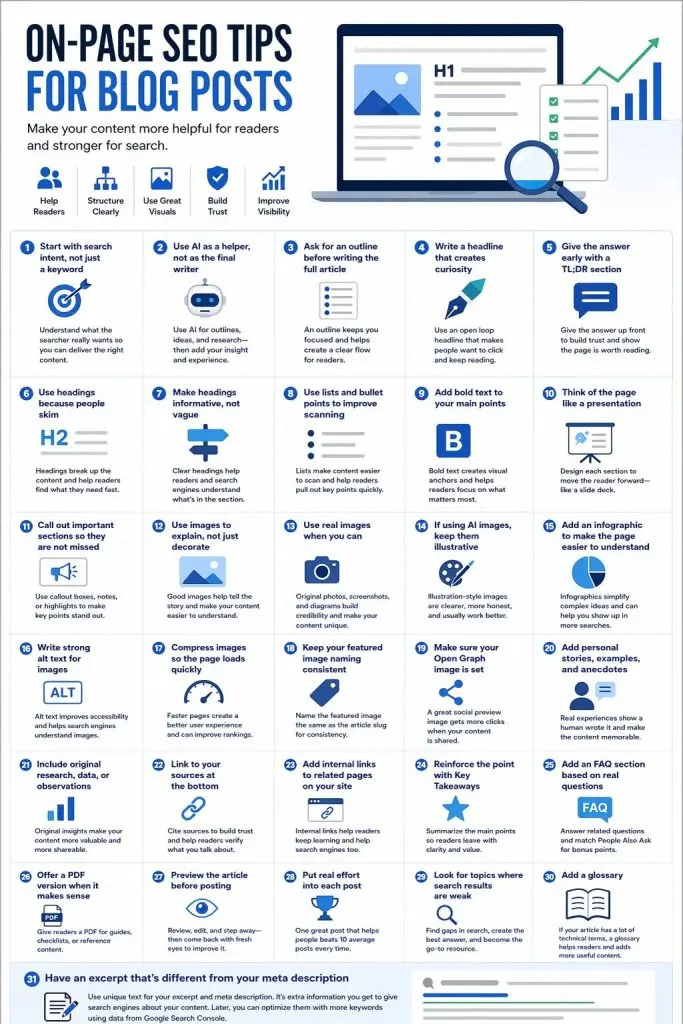
There’s an infographic below that can help you or I’ve also condensed this down to a checklist you can download as a PDF.
But That’s Not All
This is just some of the on-page SEO that needs to be done when posting something new. The next step is optimization, which is where you can greatly benefit.
If you want the complete system, go to my home page and learn more.
Key Takeaways:
- Good on-page SEO is really about usefulness. Make the page easy to understand, scan, trust, and act on.
- Structure matters. Headings, lists, bold text, callout boxes, and strong section flow all help.
- Visuals matter. Images, infographics, alt text, compression, and strong social sharing previews all improve the page.
- Trust matters. Personal examples, original observations, and source links make content more credible.
- Quality beats volume. A small number of truly useful posts can outperform a pile of forgettable ones.
FAQs
What is on-page SEO for blog posts?
On-page SEO for blog posts is the process of improving the content and structure of a page so it is easier for search engines to understand and more useful for readers. This includes headings, keywords, internal links, images, alt text, page speed, and content quality.
Does every blog post need a TL;DR section?
Not every post absolutely needs one, but in many cases it helps. A TL;DR section gives people a fast answer and can improve trust because readers see right away that your page is trying to help them instead of making them dig.
Do images help SEO?
Yes, when they improve the page. Images can make content easier to understand, improve engagement, support image search visibility, and create a better user experience. They should add value, not just fill space.
Should I use AI to write blog posts?
AI can help with outlining, brainstorming, and organizing ideas, but it works best when it is guided well and reviewed carefully. The strongest posts usually still include human judgment, editing, stories, examples, and original insight.
How long should a blog post be for SEO?
There is no perfect length. A post should be as long as it needs to be to answer the question well. Some topics need 500 words. Others need 1,500 or more. Helpfulness matters more than word count.
Is it worth making a PDF version of a blog post?
Sometimes, yes. It makes the most sense for how-to guides, checklists, instructions, printable resources, or reference material people may want to save or share.
Sources:
- Google Search Central: Creating Helpful, Reliable, People-First Content
- Google Search Central: Google Images Best Practices
- Google Search Central: Control Your Snippets in Search Results
- Google Search Central: Site Structure and Internal Linking
- web.dev: Largest Contentful Paint
📄 Download a PDF of This Article