A SEO Copywriting Checklist (PDF)

TL;DR Summary: Focus on writing SEO-friendly content naturally without relying on plugins. Use keywords strategically, leverage Google's People Also Ask section, keep content readable and scannable, add links and optimize images, and include a clear call to action. Follow a final checklist before publishing.
How to Write SEO-Friendly Content Without Using a Tool Like Yoast
If you’ve ever felt boxed in by SEO (search engine optimization) writing tools like Yoast, you’re not alone. While those plugins can be helpful for beginners, they often distract from what really matters—writing content that people actually want to read. Good SEO isn’t about chasing a “green light” score; it’s about delivering real value in a way that search engines and, more importantly, humans appreciate.
And, going without these sort of “helper” tools is a great way to start naturally thinking about SEO in everything you do with your website. Once you understand some basic SEO writing rules, you’ll be better off.
In this SEO copywriting checklist / guide, I’ll walk you through exactly how to write SEO-friendly content without relying on any plugins or tools. You’ll learn the strategies professional copywriters and content marketers use to naturally rank higher and keep readers engaged. And yes, we’re going to keep this simple and practical—no fluff.
1. Use Keywords the Smart Way
Yes, keywords still matter—but let’s not obsess over them. Place your main keyword naturally in:
- The page title (this will usually be your H1, handled automatically by WordPress)
- At least one subheading (H2 or H3)
- The first paragraph of your content
- A few times throughout the body, but only where it feels natural
Forget about outdated rules like “use your keyword every 100 words.” Instead, write like a real human having a conversation. If it makes sense to use the keyword, do it. If not, leave it out. Search engines are smarter than ever and can understand the context of your content.
2. “Steal” From Google’s People Also Ask (PAA) Section
If you want your content to rank higher and have a shot at that coveted featured snippet, start using the PAA section on Google. Here’s how:
- Search your target keyword on Google.
- Look for the “People Also Ask” box.
- Copy those questions *exactly* as they appear.
- Use them as subheadings (H2 or H3) in your content.
- Answer each question directly in the paragraph that follows. Keep answers short and to the point—40 to 50 words is ideal.
This makes it easy for Google to pull your answer directly into the featured snippet box, which can drive a ton of extra traffic to your site. Learn more about how to do this fully in my Featured Snippets book.
3. Keep Your Content Readable and Scannable
Let’s be honest—nobody wants to read massive blocks of text. Make it easy for readers to skim your content and quickly find what they’re looking for:
- Keep paragraphs short—2 to 4 sentences is perfect.
- Use bullet points and numbered lists whenever possible.
- Break up long sections with frequent subheadings.
- Use plain language. If a 6th grader can understand it, you’re on the right track.
4. Add Internal and External Links
Links help both your readers and Google understand the structure of your site:
- Internal Links: Link to related articles or pages on your website. This keeps people engaged and improves site authority.
- External Links: Link to reputable sources when citing data or facts. Just make sure the links open in a new tab so you don’t lose visitors.
5. Don’t Forget About Images (And Their Alt Text)
Images aren’t just for looks—they’re a key part of SEO:
- Use descriptive filenames (e.g.,
seo-tips-2024.jpginstead ofIMG_1234.jpg). - Add keyword-rich, descriptive alt text for every image. This helps with accessibility and can drive image search traffic.
6. Include a Clear Call to Action (CTA)
Every piece of content should guide your reader to take the next step. Whether that’s contacting you, reading another article, signing up for a newsletter, or making a purchase, be clear about what you want them to do next. Don’t assume they’ll figure it out—tell them!
7. Skip the Plugins, Use This Final Checklist Instead
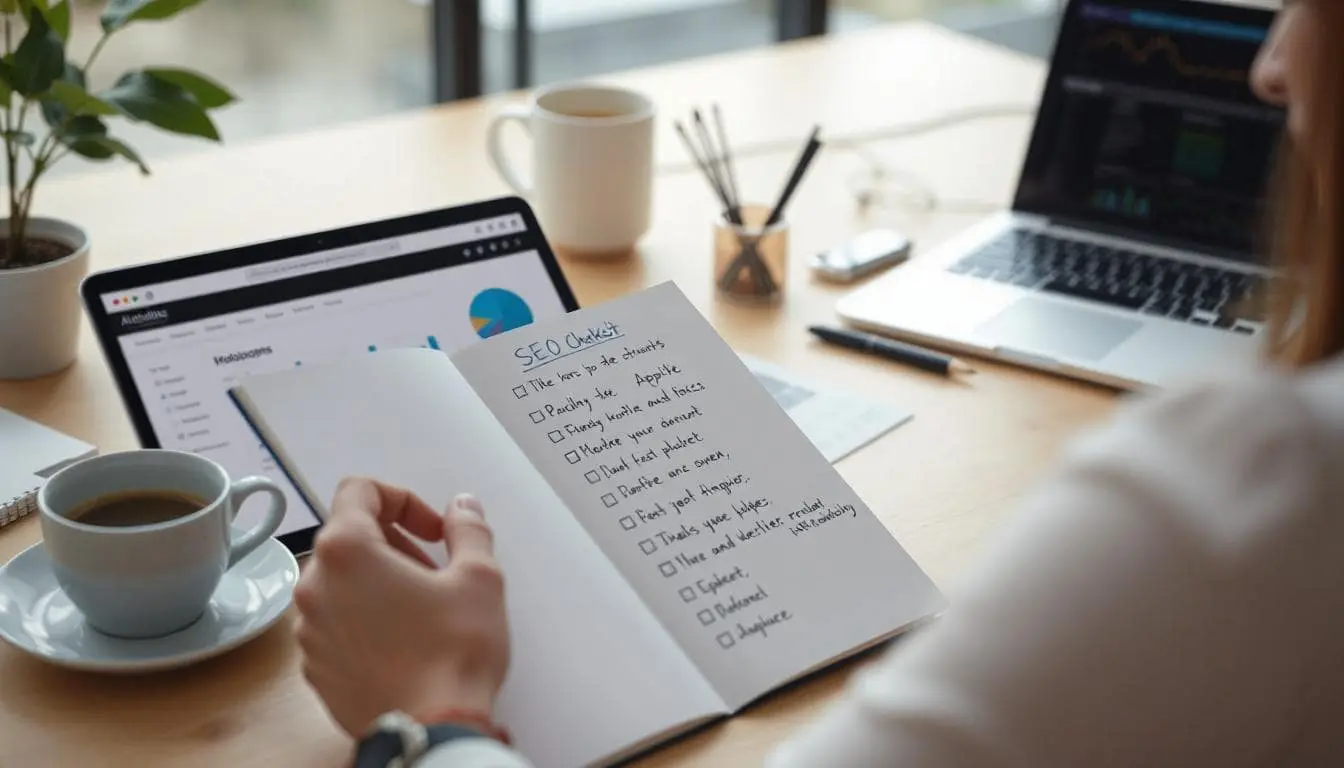
Before you hit publish, run through this simple checklist:
- Is the keyword in the title, one heading, and the first paragraph?
- Did you use PAA questions and provide clear answers?
- Are there internal and external links?
- Are the paragraphs short and easy to scan?
- Did you add alt text to your images?
- Is there a strong Call to Action?
Download the SEO Writing Checklist PDF
I’ve made this into a PDF for you to download and use:
Instant download now – no signup needed
Final Thoughts
SEO doesn’t have to be complicated. Focus on writing content that’s helpful, easy to read, and structured in a way that both readers and search engines love. Follow these simple rules, and you’ll naturally see better rankings—no plugin required.
Additional Resources
Here are some more sites that I think will help you write better content on your website:
- Search Engine Optimization (SEO) Starter Guide (google.com)
Official guide directly from Google on how to optimize your site for search. - People Also Ask (PAA) Research Guide (semrush.com)
A detailed breakdown of how to leverage Google’s PAA feature for SEO. - SEO Content Guidelines (moz.com)
Moz’s classic beginner’s guide to SEO, great for brushing up on fundamentals. - Google Trends – Explore Trending Search Topics (trends.google.com)
Use this to find trending topics and what people are searching for right now. - AnswerThePublic – Find Out What People Are Asking (answerthepublic.com)
Great for generating content ideas based on real user search behavior. - Answer Socrates – Similar to AnswerThePublic (answersocrates.com)
FAQ: SEO Writing Without Plugins
Is it still possible to rank without using SEO tools like Yoast?
Absolutely. SEO tools can help you check boxes, but they don’t replace common sense writing. If you create valuable content that answers real questions, you’re already ahead of most websites.
How do I find the right keywords?
Start by thinking about the questions your target audience asks. Use Google’s autocomplete and People Also Ask sections for ideas. Tools like Ubersuggest and Google Trends can also help find popular topics.
What’s better—long content or short content?
It depends on the topic. Some questions can be answered in 500 words, while others might take 2,000. Focus on covering the topic thoroughly. That’s what Google cares about most.
📄 Download a PDF of This Article