Why Protocol-Relative URLs Are an Issue—and How to Fix Them
 Reading Time: 5 minutes
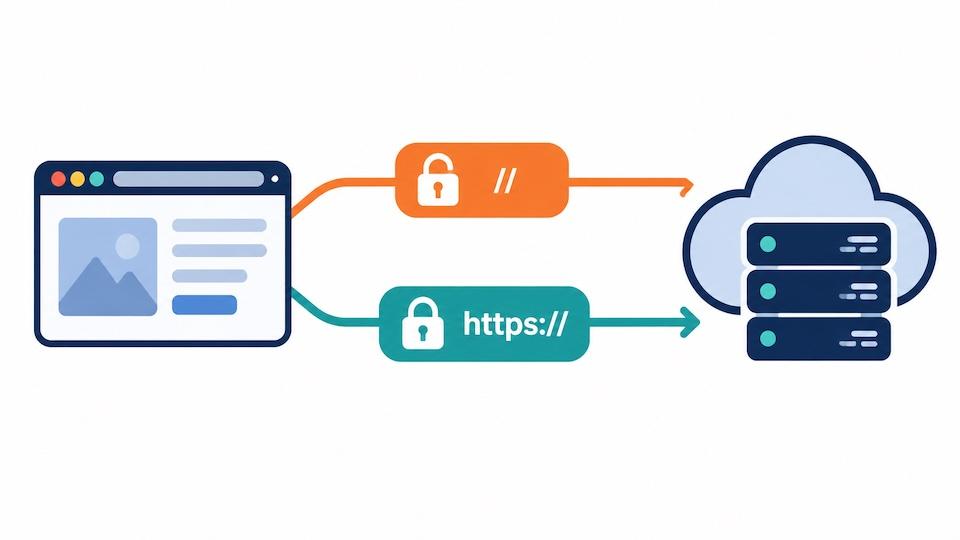
 TL;DR Summary: Protocol-relative URLs inherit the page’s protocol, so they can request assets over insecure HTTP when the page uses HTTP. Replace external resource URLs beginning with // with explicit https:// URLs, and make sure your website also enforces HTTPS.
Protocol-Relative Resource Links: Examples, Risks, and Fixes
Key Takeaways:
- Protocol-relative URLs start with
//and inherit the protocol from the page’s base URL. - They helped websites support both HTTP and HTTPS, but explicit HTTPS is a better choice for external resources today.
- A protocol-relative resource can load over insecure HTTP when the page uses HTTP.
- Replace external resource references such as
//cdn.example.com/script.jswithhttps://cdn.example.com/script.jsafter confirming HTTPS support. - Ordinary relative paths, such as
/images/logo.png, are a different category and can still be useful.
If a website audit flags protocol relative resource links, it’s pointing to URLs that leave out http: or https:. These links aren’t necessarily broken, but they leave the choice of protocol up to the page loading them.
For external scripts, stylesheets, and images, my recommendation is straightforward: specify https://. Here’s why that matters and how to fix the issue.
Table of Contents
- What Are Protocol-Relative URLs?
- Protocol-Relative Resource Links Example
- Why Are Protocol-Relative URLs an Issue?
- How to Fix Protocol-Relative Resource Links
- What is an Example of a Relative URL?
What Are Protocol-Relative URLs?
A protocol-relative URL includes a domain and usually a path, but omits the protocol. You may also see it called a scheme-relative URL.
//cdn.example.com/script.jsOn a typical HTTPS page, that address resolves to https://cdn.example.com/script.js. On an HTTP page, it resolves to http://cdn.example.com/script.js. MDN explains this scheme-relative behavior in its guide to URLs.
Why developers used them – the history
During the move from HTTP to HTTPS, many websites supported both protocols. A hardcoded HTTP script URL could create mixed content problems on the HTTPS version of a page.

Leaving out the protocol let the same markup follow whichever protocol the page used, provided the resource server supported both. That was a practical migration technique. In fact, Google’s older HTTPS migration guide included protocol-relative links as an option.
I remember setting up pages this way, like 10 years ago. Things have changed quite a bit since then. This popped back up again because I ran a site I found through SiteAnalyzerFree.com and it tagged this as something that needed to be fixed – and yes, it does need to get fixed.
Protocol-Relative Resource Links Example
Here’s a protocol-relative resource links example showing a script, stylesheet, and image. The addresses are illustrative placeholders:
<script src="//cdn.example.com/script.js"></script>
<link rel="stylesheet" href="//cdn.example.com/styles.css">
<img src="//cdn.example.com/image.jpg" alt="Example image">
Each resource inherits the page’s protocol. To explicitly request HTTPS, write:
<script src="https://cdn.example.com/script.js"></script>
<link rel="stylesheet" href="https://cdn.example.com/styles.css">
<img src="https://cdn.example.com/image.jpg" alt="Example image">
Why Are Protocol-Relative URLs an Issue?
They can inherit insecure HTTP
If a page loads over HTTP, its protocol-relative resources can also be requested over HTTP unless another protection upgrades the request. An attacker positioned between the visitor and the server could read or alter that unencrypted traffic. With JavaScript, an altered response could introduce malicious code.
OWASP recommends TLS for all pages and warns against mixing encrypted and unencrypted resources. Explicit HTTPS resource URLs support that approach, although the page itself also needs HTTPS protection.
Local previews can behave differently
Opening an HTML file directly from your computer creates a file:// context. A URL beginning with // can then resolve as a file URL, producing a failed load or unexpected behavior rather than the intended web request.
That is different from the HTTP security risk: a local file doesn’t automatically turn the resource into an insecure HTTP request. Specifying https:// makes the intended web protocol explicit.
They leave an unnecessary dependency
An external asset’s transport security shouldn’t depend on whether a particular page was reached through HTTP or HTTPS. An explicit HTTPS URL communicates the requirement directly.
MDN’s TLS guidance recommends HTTPS for website pages and their subresources. For external assets, specifying HTTPS is a straightforward way to express that requirement.
Performance claims need context
Explicit HTTPS can avoid an HTTP request followed by a redirect when a resource would otherwise resolve to HTTP. However, on an HTTPS page, both URL forms normally resolve to the same HTTPS address.
Adding https:// doesn’t automatically enable HTTP/2 multiplexing or create an early connection. Those depend on server support, connection reuse, and optimizations such as preconnect. Google’s resource hints guide explains how preconnect can prepare connections to important external origins.
How to Fix Protocol-Relative Resource Links
- Locate the resource references. Check script and image
srcattributes, stylesheethrefattributes, CSSurl()values, and other asset settings for addresses beginning with//. - Confirm HTTPS support. Test the exact resource address with
https://. Confirm that it loads successfully and has a valid certificate. - Update the source. Replace the protocol-relative address with its explicit HTTPS equivalent. In WordPress, the source may be a theme, plugin, custom HTML block, or integration setting.
- Clear caches and test. Check affected pages, browser console errors, and network requests. Run the audit again to confirm the warning is resolved.
- Enforce HTTPS across the website. Configure HTTP-to-HTTPS redirects and consider HSTS after verifying your HTTPS setup. OWASP recommends redirects and HSTS as part of protecting public-facing websites.
Avoid blindly replacing every occurrence of //. Those characters also appear in ordinary HTTPS addresses and JavaScript comments. Update the actual URL values.
What is an Example of a Relative URL?
An example of a relative URL is /images/logo.png.
On a page at https://example.com/blog/post/, it points to https://example.com/images/logo.png.
A path-relative URL such as images/logo.png instead resolves from the current directory. Using that same page address, it points to https://example.com/blog/post/images/logo.png. These examples assume there is no HTML <base> element changing the base URL.
MDN’s guide to resolving relative references explains the difference between paths relative to the current directory, parent directory, and site root.
Protocol-relative URLs are also a type of relative reference, but they specify a host while leaving out the scheme. Don’t confuse //cdn.example.com/logo.png with /images/logo.png: the first supplies a host; the second uses the current site’s host.
For a modern HTTPS website, keep useful same-site relative paths where appropriate and use explicit https:// URLs for external resources. That makes your asset references easier to review and removes an avoidable dependency on the page’s protocol.
📄 Download a PDF of This Article