Reverse Tabnabbing: What It Is and How to Prevent It

TL;DR Summary: Reverse tabnabbing is a phishing technique in which a page opened in a new tab uses its connection to the original tab to redirect that original page to a malicious website. To prevent it, use rel="noopener" to cover older browsers, embedded webviews, named windows, scripted popups, and unusual configurations.
How Reverse Tabnabbing Turns a Trusted Browser Tab Into a Phishing Page
Key Takeaways:
- Reverse tabnabbing lets a newly opened page replace the original tab with a phishing or malicious page.
- The attack relies on the new page receiving a reference to the original page through
window.opener. - The same-origin policy limits what a cross-origin page can read, but historically it has still allowed that page to navigate the opener.
- Modern browsers treat ordinary
target="_blank"links as ifrel="noopener"were present unless opener access is explicitly requested. - Explicitly adding
rel="noopener"remains a sensible defense-in-depth practice. noreferreralso prevents opener access, but it additionally removes referral information.nofollowis an SEO instruction and does not prevent reverse tabnabbing.- JavaScript-created windows, named browsing contexts, legacy browsers, embedded webviews, and
rel="opener"require extra attention.
Cheat Sheet – Copy and Paste:
<a href="https://tonyherman.com/" target="_blank" rel="noopener">Awesome website</a>Table of Contents:
- What Is Reverse Tabnabbing?
- What Does Tabnabbing Mean?
- How a Reverse Tabnabbing Attack Works
- Why the Same-Origin Policy Does Not Completely Stop It
- Is Target Blank Still Vulnerable?
- Where Reverse Tabnabbing Risk Still Exists
- How to Prevent Reverse Tabnabbing
- Noopener vs. Noreferrer vs. Nofollow
- Preventing Reverse Tabnabbing in JavaScript
- Cross-Origin-Opener-Policy
- WordPress and Reverse Tabnabbing
- How to Test for Reverse Tabnabbing
- Common Mistakes and Myths
- Frequently Asked Questions
What Is Reverse Tabnabbing?
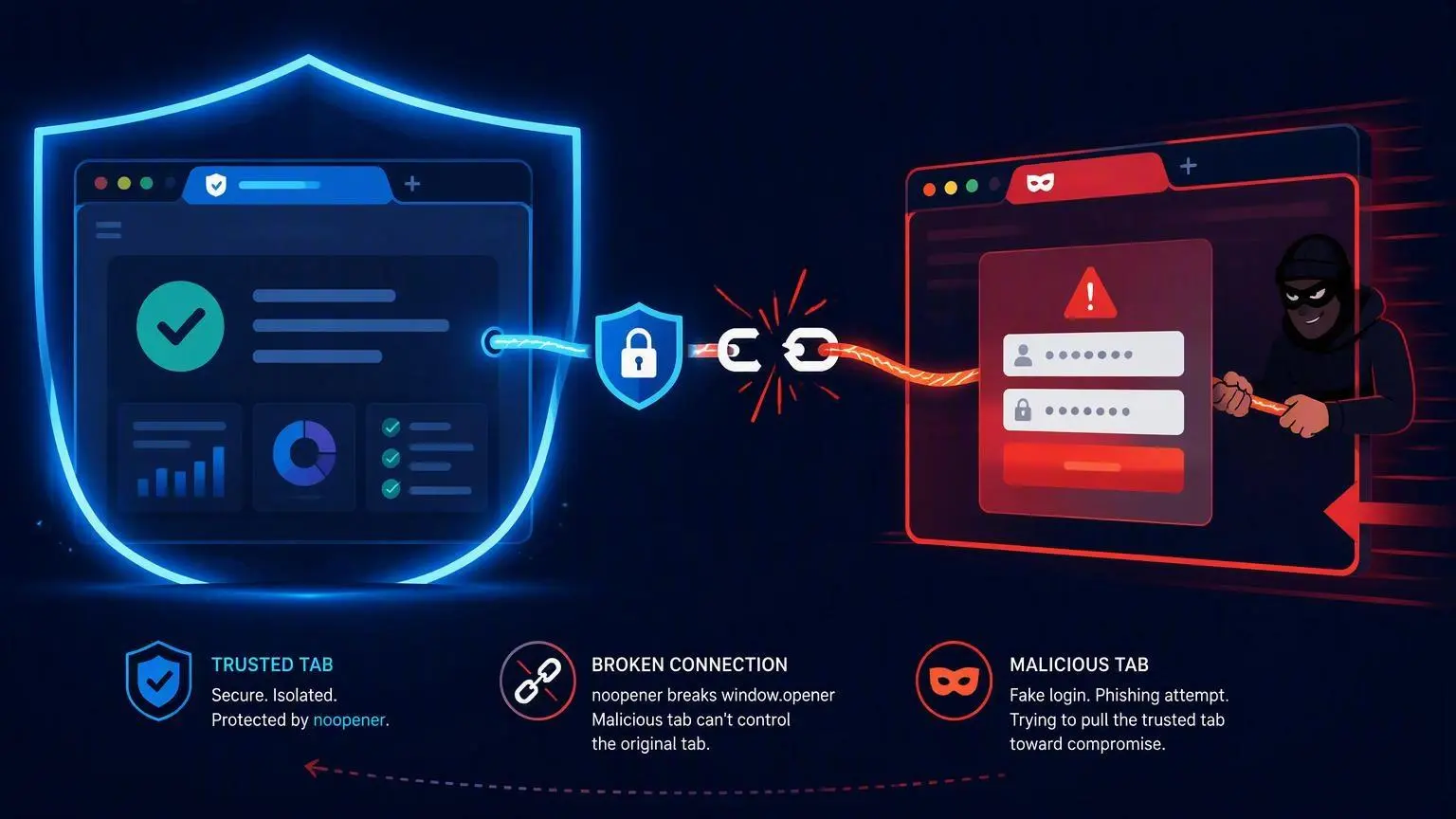
Reverse tabnabbing is not a TikTok challenge, but a browser-based attack in which a newly opened page changes the location of the page that opened it.
Imagine that you are using a trusted website. You click a link, and the destination opens in a new tab. While you are looking at the new tab, it quietly redirects the original tab to a counterfeit login page.
When you return to the first tab, you may assume your session expired. The page looks familiar, so you enter your username, password, payment information, or another sensitive value. The information is sent to the attacker because the tab no longer contains the legitimate website.
The attack is called reverse tabnabbing because the newly opened page attacks backward, targeting the page from which the visitor came.
What Does Tabnabbing Mean?
The word tabnabbing combines “tab” and “kidnapping.” It describes attacks that alter or impersonate content in a browser tab so the user mistakes a malicious page for a trusted one.

In a traditional tabnabbing scenario, a page that is already open may change after the user switches to another tab. Reverse tabnabbing describes a more specific relationship: a page opened by another page uses its opener connection to manipulate the original tab.
You may also see the issue described as:
- The
target="_blank"vulnerability - A
window.openervulnerability - Opener poisoning
- Cross-tab phishing
- Tab hijacking
These labels sometimes refer to overlapping techniques, but they generally involve an unwanted relationship between browser tabs or windows.
How a Reverse Tabnabbing Attack Works
The classic attack requires several pieces to line up.
- A trusted page opens another page in a new browser context.
- The browser gives the opened page a reference to the original page.
- The destination is malicious, becomes compromised, or redirects to attacker-controlled content.
- The opened page uses its opener reference to navigate the original tab.
- The attacker replaces the original page with a convincing imitation.
- The user returns to the original tab and trusts it because that is where the legitimate site had been.
The vulnerable relationship was historically common with a link like this:
<a href="https://external.example" target="_blank">
    Visit the external website
</a>
If the new page receives an opener reference, its JavaScript can attempt to navigate the original tab:
if (window.opener) {
    window.opener.location = "https://security-demo.invalid/example";
}
The address above deliberately uses the reserved .invalid domain and will not lead to a real website. The code is included only to explain the mechanism.
The destination does not need to start malicious
A site owner may reasonably ask, “Why would I link to an attacker’s website?”
The destination does not necessarily have to be malicious when the link is created. Risk can appear later if:
- The destination website is compromised.
- An expired domain is purchased by someone else.
- A third-party page allows user-generated scripts or unsafe redirects.
- An advertising or affiliate redirect chain is compromised.
- A user is allowed to supply a profile, comment, marketplace, or forum link.
- An unencrypted HTTP destination is altered by an attacker on the network.
This is why opener access should be removed even when the destination is trusted today. Most ordinary links do not need the ability to control the page that opened them.
Why the Same-Origin Policy Does Not Completely Stop It
Browsers enforce the same-origin policy, which limits interactions between documents from different origins. An origin is generally determined by the combination of protocol, hostname, and port.
A malicious page on another origin normally cannot read your page’s DOM, cookies, form values, or local storage. That is an essential browser security boundary.
However, cross-origin restrictions historically allowed limited interaction with certain window properties. Most importantly for this attack, a cross-origin page could be allowed to assign a new address to the opener’s location.
In plain English: the malicious page might not be able to read the original tab, but it could tell that tab to go somewhere else.
MDN’s documentation of the window.opener property explains this relationship. Its same-origin policy reference also documents the limited cross-origin access available through window objects.
Same-origin opener access can be more powerful
If the opened page and opener are on the same origin, the opened page may have much broader scripting access. This could happen when a website contains an untrusted user-content area, an open redirect, a cross-site scripting vulnerability, or different applications hosted under the same origin.
In that situation, the security problem may extend beyond simple navigation. The opened page could potentially inspect or change content in the opener, subject to the site’s security architecture.
Is Target Blank Still Vulnerable?
Here is the modern answer: an ordinary target="_blank" anchor is protected automatically in current evergreen browsers.
The HTML standard now says that target="_blank" links behave as though rel="noopener" were included, unless the page explicitly requests an opener relationship with rel="opener".
As a result, the new page normally receives:
window.opener === nullThis behavior is documented in the WHATWG HTML standard and MDN’s noopener reference. OWASP now classifies the classic form as a legacy issue that has been fixed in modern evergreen browsers.
Chrome adopted this behavior for ordinary anchor links in Chrome 88. Other modern browser engines implemented similar protection.
Why explicitly add noopener anyway?
Explicitly adding rel="noopener" is still a useful defense-in-depth measure because it:
- Documents the intended security behavior.
- Protects visitors using older or unusual browsers.
- May protect embedded webviews that lag behind modern browser standards.
- Helps security scanners recognize that the link was intentionally protected.
- Reduces dependence on implicit behavior that developers may not know about.
- Protects non-blank named targets when used correctly.
The modern browser default has reduced the prevalence of reverse tabnabbing. It has not made every possible opener relationship harmless.
Where Reverse Tabnabbing Risk Still Exists
1. Older browsers
Legacy browsers may not apply implicit noopener behavior. Internet Explorer and pre-Chrome 88 browser versions are common examples cited in security-testing guidance.
Whether this matters depends on your audience. Public-sector, industrial, medical, embedded, and long-lived enterprise environments sometimes retain older browser components longer than expected.
2. Embedded webviews
Links may open inside mobile apps, desktop applications, kiosk systems, smart devices, and other embedded browser environments. A webview’s security behavior depends on its engine, version, and configuration.
3. JavaScript window.open calls
Script-created windows deserve separate review. Do not assume that every use of window.open() receives the same implicit protection as a normal HTML anchor.
4. Named windows and tabs
A link can target a named browsing context instead of _blank:
<a href="https://external.example" target="reportWindow">
    Open report
</a>
The special implicit protection is specifically associated with _blank. A custom target name may reuse an existing tab or window and may preserve an opener relationship unless noopener is specified.
5. Explicit rel=opener
The HTML standard provides an opener keyword for code that intentionally needs the relationship:
<a href="https://external.example"
   target="_blank"
   rel="opener">
    Open connected page
</a>
This opts out of the normal implicit protection. Use it only when the opened page genuinely needs access to its opener and both sides have been designed and reviewed for that relationship.
6. Third-party components
Plugins, page builders, advertising scripts, chat tools, social widgets, analytics code, and custom themes may create links or windows differently from your main application.
Checking only the links written directly by your editorial team can miss these generated browsing contexts.
How to Prevent Reverse Tabnabbing
The basic HTML defense is simple:
<a href="https://external.example"
   target="_blank"
   rel="noopener">
    Visit the external website
</a>
The noopener value tells the browser not to give the destination a reference to the opening page. On the destination, window.opener should be null.
If you also do not want the destination to receive referral information, use:
<a href="https://external.example"
   target="_blank"
   rel="noopener noreferrer">
    Visit the external website
</a>
OWASP recommends explicit protection for links that open new browsing contexts, particularly when compatibility with older browsers matters. See the OWASP reverse tabnabbing explanation and its HTML5 Security Cheat Sheet.
The safest simple alternative
If a link does not need to open in a new tab, leave out target="_blank". Opening in the same tab removes the opener relationship involved in this particular attack and gives the visitor normal control over whether to open a new tab.
Opening every external link in a new tab is not automatically a usability improvement. It can be disorienting for keyboard users, screen-reader users, mobile visitors, and anyone who expects the Back button to return to the previous page.
If you do open a new tab, consider warning the visitor in the link text or accessible label.
Noopener vs. Noreferrer vs. Nofollow
These three link values are frequently combined, but they serve different purposes.
| Value | Primary Purpose | Prevents Opener Access? | Affects Referral Data? | SEO Instruction? |
|---|---|---|---|---|
noopener | Separates the opened page from its opener | Yes | Normally no | No |
noreferrer | Prevents sending referrer information | Yes | Yes | No |
nofollow | Tells search engines you do not endorse or want to credit the link normally | No | No | Yes |
Use noopener for the security fix
If the goal is specifically to prevent reverse tabnabbing while preserving normal referral information, use noopener.
Use noreferrer when referral privacy is also desired
noreferrer includes the security effect of noopener and also tells the browser not to send the referring page’s address in the Referer request header.
This can affect referral analytics and attribution. The destination may record the visit as direct or unattributed traffic instead of showing your page as the source.
Nofollow is not a tabnabbing defense
Adding nofollow alone does not remove window.opener. It is unrelated to browser-tab isolation.
You can combine values when you need all their behaviors:
rel="nofollow noopener noreferrer"Do not add nofollow merely because a link opens in a new tab. Decide whether to use it based on the relationship with the destination and applicable search-engine guidance.
Preventing Reverse Tabnabbing in JavaScript
For a window opened with JavaScript, include noopener in the window-features argument:
window.open(
    "https://external.example",
    "_blank",
    "noopener"
);
If you also want to suppress referral information:
window.open(
    "https://external.example",
    "_blank",
    "noopener,noreferrer"
);
MDN documents both options in its window.open() reference.
Do not depend only on setting opener to null afterward
You may encounter older code that opens a window and then assigns null to its opener:
const popup = window.open(url, "_blank");
if (popup) {
    popup.opener = null;
}
This technique has been used as a compatibility fallback, but passing noopener at creation time is clearer and avoids creating the unwanted relationship in the first place.
Also remember that window.open() can return null when a popup blocker prevents the new context from opening.
Do not build clickable navigation from untrusted JavaScript URLs
If a user, plugin, advertisement, or API can control the destination, validate the URL before opening it. At minimum:
- Allow only intended protocols, normally HTTPS.
- Reject
javascript:, unexpecteddata:, and other dangerous schemes. - Use an allowlist when destinations should belong to known domains.
- Avoid open redirects that forward arbitrary destination parameters.
- Apply
noopenereven after validating the URL.
URL validation and opener isolation solve different problems. Use both when destinations are not completely controlled by your application.
Cross-Origin-Opener-Policy
For more advanced applications, the Cross-Origin-Opener-Policy HTTP response header—usually shortened to COOP—provides control over whether documents share a browsing-context group.
A strict example is:
Cross-Origin-Opener-Policy: same-originUnder compatible circumstances, this separates cross-origin documents and severs references between them. COOP can provide stronger document-level isolation than adding noopener to individual outgoing links.
It is not a drop-in setting for every website. Popup-based login, payment, support, document-editing, and authentication integrations may depend on opener communication. A strict policy can break those workflows.
Review the available directives and test every popup-dependent integration before deployment. MDN provides a detailed Cross-Origin-Opener-Policy reference.
COOP is defense in depth
COOP does not replace careful link handling, URL validation, output escaping, Content Security Policy, protection against cross-site scripting, or secure authentication design.
Web security works in layers. Removing unnecessary opener relationships is one layer.
WordPress and Reverse Tabnabbing
Current WordPress editors and many established plugins add noopener when a link is configured to open in a new tab. Modern browsers also provide implicit protection for normal target="_blank" anchors.
That does not mean every WordPress site is automatically covered. Older posts, imported HTML, custom blocks, hand-coded templates, menu walkers, affiliate-link plugins, page builders, advertisements, and theme scripts may produce their own markup.
How to check a WordPress link
Open the page’s HTML source or inspect the link with your browser’s developer tools. A protected link might look like:
<a href="https://external.example"
   target="_blank"
   rel="noopener">
    External resource
</a>
If the link also needs nofollow, sponsored, or ugc, keep those values and add noopener rather than replacing the entire rel attribute.
rel="sponsored nofollow noopener"The values are separated by spaces and can coexist.
Be careful with automated WordPress fixes
A plugin or code filter can add protection across existing content, but automatic HTML rewriting can also damage malformed markup, embedded content, shortcodes, or plugin-generated components.
Back up the website, test the change on a staging copy, and review representative posts, menus, buttons, widgets, comments, and custom fields before applying a site-wide rewrite.
How to Test for Reverse Tabnabbing
Only test websites you own or have explicit permission to assess.
1. Search the source code
Look for:
target="_blank"
window.open(
rel="opener"
For each result, determine whether the destination could be controlled by a third party and whether opener access is intentionally removed.
2. Inspect the opened page
On a test page you control, open the link and inspect this value in the newly opened tab’s browser console:
window.openerFor an isolated link, it should normally be null.
3. Test supported environments
Test the browsers and embedded environments your visitors actually use. Include mobile-app webviews if links from your application commonly open there.
4. Review third-party and user-generated links
Give extra attention to comments, forums, profiles, marketplace listings, advertisements, redirects, affiliate links, and any other place where someone outside your development team influences the destination.
5. Use automated analysis carefully
Static-analysis tools can identify target="_blank" links without an explicit noopener or noreferrer. Security scanners and linters may also flag suspicious window.open() calls.
A finding does not automatically prove exploitation is possible in a current browser. Verify the browser behavior, target type, destination control, generated markup, and whether opener access is actually present.
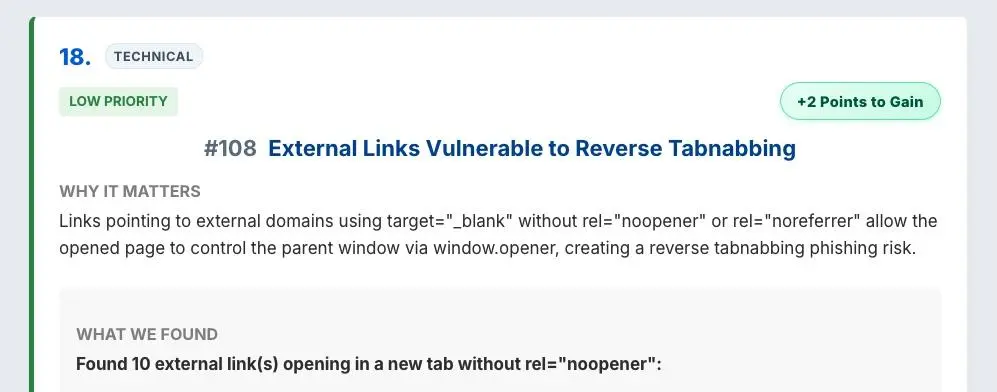
My SiteAnalyzerFree.com tool helps check for reverse tabnabbing.
Common Mistakes and Myths
“Every target blank link is currently vulnerable”
Not in modern evergreen browsers. Standard target="_blank" anchors now receive implicit noopener behavior unless opener access is explicitly requested.
“Modern browser protection means I can ignore the issue”
That is also too broad. Script-created windows, named targets, embedded webviews, explicit rel="opener", legacy browsers, and third-party components still require review.
“HTTPS prevents reverse tabnabbing”
HTTPS protects network traffic from interception and alteration. It does not remove a browser-created window.opener relationship.
HTTPS is essential, but it solves a different security problem.
“The same-origin policy blocks all interaction”
The same-origin policy blocks most cross-origin reading and scripting, but limited window operations—including navigation under vulnerable conditions—are why classic reverse tabnabbing was possible.
“Nofollow protects the original tab”
It does not. nofollow is intended for search engines. Use noopener for opener isolation.
“Noreferrer and noopener are identical”
Both prevent the opener relationship, but noreferrer also suppresses referrer information. That distinction can matter for privacy, analytics, affiliate tracking, and attribution.
“Content Security Policy fixes it automatically”
A strong Content Security Policy can reduce script-injection risk, but it is not a general replacement for noopener. Do not assume that an unrelated CSP automatically prevents a permitted external page from navigating an opener.
“Every popup should be isolated”
Most should be, but some payment, authentication, and document workflows intentionally communicate between windows. If you remove that relationship, the integration may stop working.
Keep opener access only when it is genuinely required, restrict it to trusted origins, validate any messages exchanged with postMessage, and document the reason.
Frequently Asked Questions
Is reverse tabnabbing phishing?
It is commonly used as a phishing technique. The attacker changes the trusted original tab into an imitation designed to collect credentials or other sensitive information.
Can reverse tabnabbing steal cookies?
A cross-origin destination normally cannot directly read the opener’s cookies because of browser-origin protections. The classic attack instead redirects the original tab and tricks the user into voluntarily entering information on a fake page.
If both documents share an origin or another vulnerability is present, the potential access may be broader.
Does rel=noopener hurt SEO?
No. noopener controls the relationship between browser windows. It does not tell search engines to ignore the link or withhold ranking credit.
Does rel=noreferrer hurt SEO?
noreferrer is not the same as nofollow. Its main effect is to suppress referral information and imply noopener. However, losing referral data can make traffic attribution less informative.
Should every external link use target blank?
No. Letting a link open in the current tab is often simpler and more predictable. Use a new tab when it serves a clear purpose, then protect and label it appropriately.
Should internal links use noopener?
If an internal link opens a new browsing context and does not need access to its opener, adding noopener is a reasonable precaution. Same-origin opener access can be more extensive than cross-origin access.
Is reverse tabnabbing still worth scanning for?
Yes, but findings should be prioritized according to real browser behavior and application context. An unprotected scripted popup to a user-controlled destination is more concerning than a normal target="_blank" anchor running exclusively in current browsers.
Final Recommendation
Reverse tabnabbing is no longer the widespread modern-browser vulnerability it once was, but the underlying lesson remains valuable: a page opened by your website should not receive control over the original page unless it genuinely needs that control.
For normal HTML links that open in a new tab, explicitly use:
target="_blank" rel="noopener"Add noreferrer only when you also want to suppress referral information. Do not mistake nofollow for a security control.
For JavaScript-created windows, pass noopener in the window features. Review named targets, embedded webviews, user-controlled destinations, third-party code, and deliberate uses of rel="opener". Consider COOP when an application needs stronger isolation, but test authentication and payment popups before enabling it.
Modern browsers have made the default safer. Good developers still make the intended relationship explicit.
📄 Download a PDF of This Article