Can I Delete Negative Google Reviews on My Business?

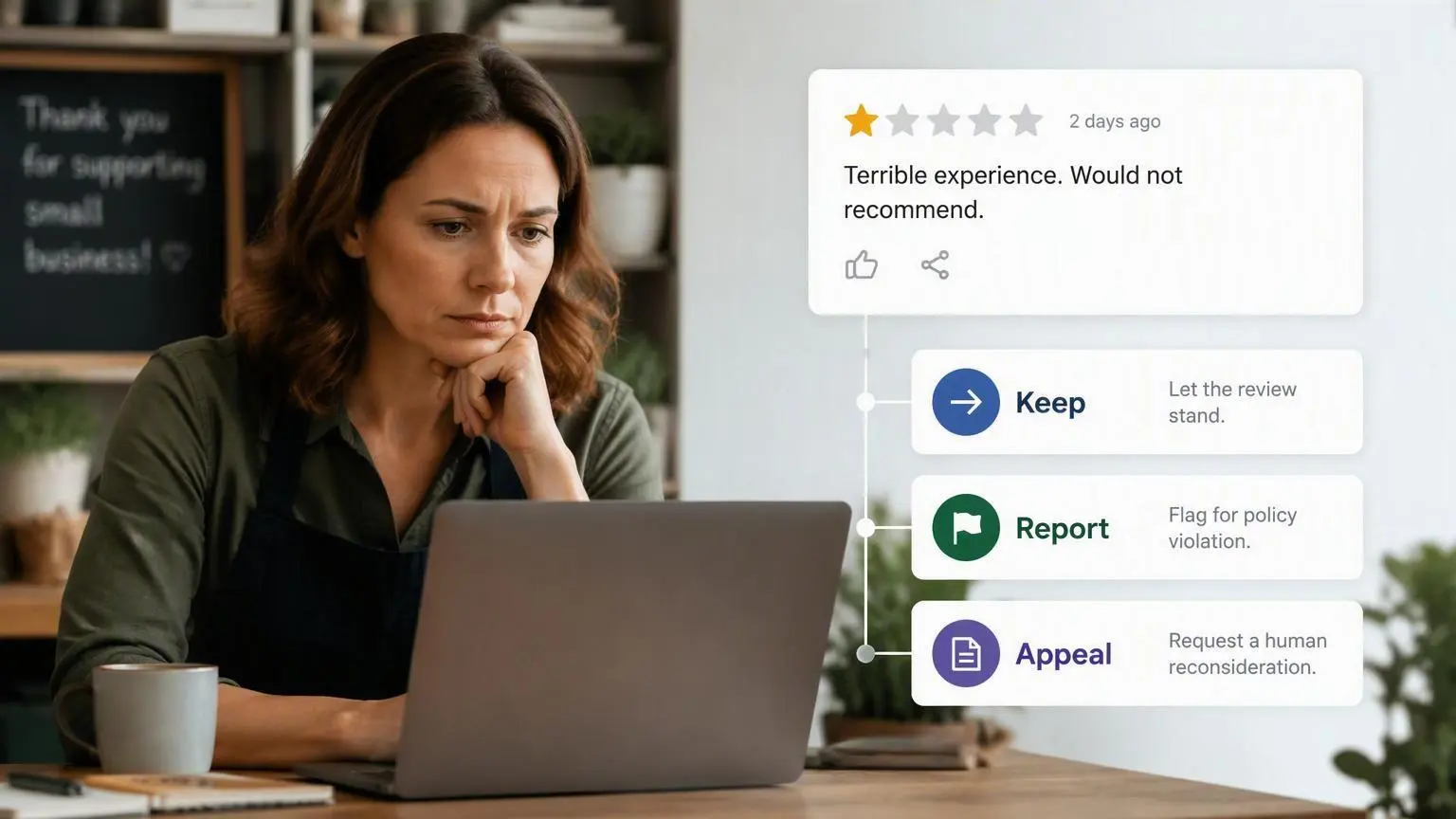
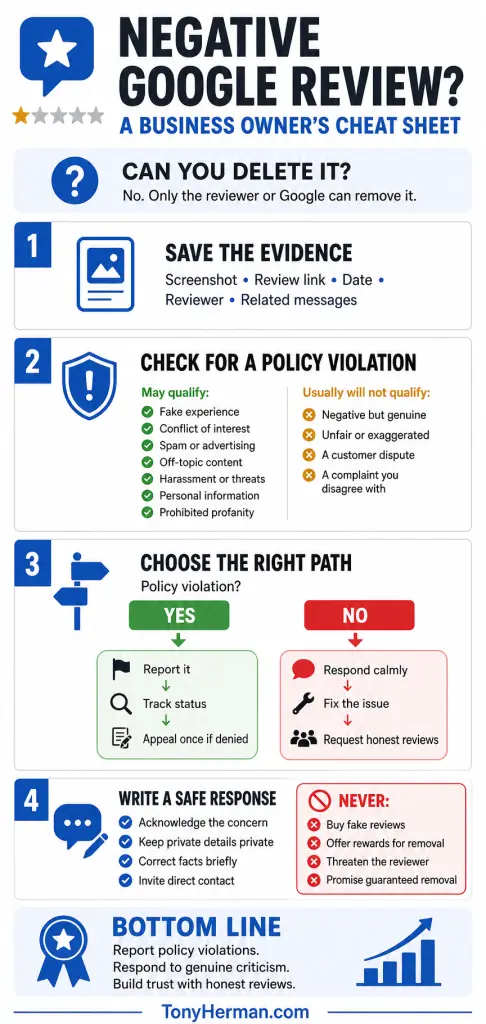
TL;DR Summary: You cannot directly delete a negative Google review posted by someone else. You can report it, but Google will remove it only if it violates a policy—for example, if it is fake, off-topic, spam, written by someone with a conflict of interest, or contains harassment, threats, profanity, or private information.
You Can’t Delete Reviews Just Because They’re Bad
A review does not qualify for removal merely because it is negative, inaccurate, unfair, or damaging to your business. That’s sort of the point about reviews – bad reviews must be allowed to be posted, if they’re true.
Reporting a legitimate customer complaint as “spam” is unlikely to work. Identifying the exact policy violation and supplying relevant evidence gives you a much better chance.
This guide explains what can be removed, what usually cannot, and exactly what to do next.
Who Can Delete a Google Review?
A Google review can normally be deleted by one of two parties:
- The person who posted it
- Google, after determining that it violates a policy
The business receiving the review does not have a delete button.

You can report a review and appeal Google’s initial decision, but you cannot force Google to remove ordinary negative feedback.
Google says businesses should not report reviews simply because they disagree with or dislike them. Google also generally does not resolve factual disputes between a business and a customer.
What Kinds of Google Reviews Can be Removed?
Google may remove a review if it violates its prohibited and restricted content policies.
Here are the categories most relevant to businesses:
1. The review is fake
Google prohibits reviews that do not represent a genuine experience.
Possible warning signs include:
- The reviewer describes services your business does not offer.
- The review refers to employees who do not work for you.
- The described event occurred while the business was closed.
- Several similar reviews appeared within a short period.
- The same wording appears on multiple business profiles.
- The reviewer admits they were never a customer.
- The account appears to be part of a coordinated review attack.
Be careful with the phrase “not a customer.” Someone may have had a legitimate experience without completing a purchase or appearing in your customer database. For example, they may have called, visited, requested an estimate, attended with another customer, or interacted with an employee.
“No record of this customer” is evidence worth documenting, but it does not automatically prove that a review is fake.
2. The reviewer has a conflict of interest
Google prohibits certain biased reviews based on personal or professional conflicts.
That can include reviews from:
- Current or former employees
- Competitors
- Contractors or consultants
- Family members acting on behalf of an interested party
- People with another professional or personal affiliation affecting their impartiality
Save evidence establishing the relationship. A suspicion without supporting information may not be enough.
3. The review is off-topic
Reviews should relate to an experience with the particular business or location.
Google may remove content consisting primarily of:
- Political or social commentary
- General complaints unrelated to the business
- Personal rants
- Commentary about another business
- A review posted on the wrong location
A relevant customer complaint does not become “off-topic” merely because the business dislikes its focus.
4. The review contains harassment, threats, or personal information
Google restricts content involving harassment, credible threats, doxxing, and certain disclosures of personal information.
Examples may include:
- A threat of physical harm
- An employee’s private address or phone number
- Sensitive financial, medical, or identification information
- Unwanted sexualization
- Content encouraging others to harass a person or business
Take screenshots before reporting the review. If someone may be in immediate danger, contact the appropriate authorities instead of relying solely on Google’s reporting process.
5. The review contains prohibited offensive content
A harsh review is not necessarily prohibited. Customers are allowed to describe bad experiences and criticize a business.
A review may qualify for removal when it includes content prohibited by Google, such as:
- Obscenity or profanity used to emphasize an attack
- Hate speech
- Deliberately provocative personal attacks
- Certain unsupported allegations of criminal or unethical conduct
The distinction between strong criticism and a policy violation can be narrow. Use the policy category that most accurately describes the actual content.
6. The review is advertising, spam, or repetitive content
Google may remove reviews containing:
- Promotional messages
- Commercial solicitations
- Links or contact details intended to advertise another business
- Meaningless text
- Repeated content from one or more accounts
- Unusual posting patterns intended to manipulate a rating
Document the broader pattern when one exists. Several coordinated reviews may present a clearer case than one review viewed in isolation.
7. The reviewer demanded money or something else of value
Treat review extortion differently from an ordinary complaint.
Preserve:
- Emails
- Text messages
- Voicemails
- Screenshots
- Payment demands
- Dates and times
- Links to all related reviews
- The reviewer’s profile information
Do not pay someone to post, change, or remove a review. Google prohibits incentives offered in exchange for revising or removing negative feedback.
What Reviews Will Google Usually Leave Up?
Google will generally leave a review online when it represents a genuine customer experience and does not otherwise violate a policy.
That may include a review that is:
- Negative
- One-sided
- Exaggerated
- Based on a misunderstanding
- Written by a difficult customer
- Critical of an employee
- Focused on price, service, delays, or quality
- Different from the business’s version of events
Google is not a court deciding which side of an ordinary customer disagreement is correct.
If the review is relevant and policy-compliant, your best options are to respond professionally, address the underlying problem, and earn additional honest reviews.
How to Report a Negative Google Review
Before reporting anything, take a screenshot and save the review’s direct link.
Also record the author, date, star rating, and reason you believe it violates a specific policy.
Then follow these steps:
- Sign in to the Google account that manages your Business Profile.
- Open your Business Profile.
- Select Read reviews.
- Find the review.
- Select the report icon next to it.
- Choose the most accurate reason, such as spam or profanity.
- Submit the report.
Google says evaluation typically takes several days.
You can also use Google’s review-reporting instructions and Reviews Management Tool to report a review and monitor the result.
Do not report the same review repeatedly under random categories. Choose the policy that best fits the review and document why it applies.
How to Check the Status of a Reported Review
Google’s Reviews Management Tool may show one of these statuses:
- Decision pending: Google has not finished evaluating the report.
- Report reviewed—no policy violation: Google did not find a qualifying violation.
- Escalated—check your email for updates: An appeal has been submitted, and Google will send its decision by email.
Keep a simple record containing the review link, report date, selected policy, status, supporting evidence, and final result.
This becomes especially useful when managing several locations or responding to a coordinated attack.
What if Google Refuses to Remove the Review?
If Google determines that the review does not violate its policies, you may be able to submit a one-time appeal.
To appeal:
- Open Google’s Reviews Management Tool.
- Confirm the account associated with your Business Profile.
- Select the correct business.
- Choose the option to check a previously reported review.
- Select Appeal eligible reviews.
- Select the review you want reconsidered.
- Submit the appeal form.
Google currently allows businesses to select up to 10 eligible reviews in an appeal.
Your appeal should identify the exact policy and connect it to specific evidence. Avoid emotional arguments about how much the review hurts your business.
A concise explanation is usually clearer:
This review violates Google’s fake engagement policy because it does not describe a genuine experience with this location. It names a service we have never offered and identifies an employee who has never worked for the company. Our service records and staffing records for the date in question support this. We request removal under the fake engagement policy.
Only make claims you can support.
If Google denies the appeal and the content presents a legitimate legal issue, obtain advice from a qualified attorney. A policy disagreement is not automatically a legal claim.
Should I Respond to the Review Before Google Makes a Decision?
Usually, yes.
Potential customers can see the review while Google evaluates it. A calm response shows those readers how your business handles problems.
The response is not primarily for the reviewer. It is for everyone who reads the exchange later.
A useful response should:
- Remain calm
- Acknowledge the concern
- Avoid attacking the reviewer
- Avoid revealing private information
- Correct important facts without becoming argumentative
- Move the conversation to a private channel
- Avoid promising an outcome you cannot provide
Response when you recognize the customer:
I’m sorry your experience did not meet your expectations. We would like to review what happened and see what we can do to help. Please contact us at [contact method] and ask for [name or department].
Response when you cannot identify the customer:
We take this concern seriously, but we have been unable to match the details in this review to our records. Please contact us at [contact method] with the date and details of your interaction so we can investigate.
Response when the review appears to describe another business:
We believe this review may have been posted on the wrong business profile because the services and circumstances described do not match our company. Please contact us at [contact method] so we can confirm the details and help direct the concern appropriately.
Do not publicly call someone a liar or threaten legal action as a pressure tactic.
The Federal Trade Commission’s Consumer Reviews and Testimonials Rule prohibits certain review-suppression practices, including using intimidation, unfounded legal threats, or knowingly false accusations to get a negative review removed. The FTC provides additional guidance in its Consumer Reviews and Testimonials Rule Q&A.
Can I Ask the Customer to Remove the Bad Review?
Yes, you can contact a genuine customer, try to resolve the problem, and let the customer independently decide whether to update or remove the review.
Do not:
- Pay for removal
- Offer a discount only if the review is removed
- Make a refund conditional on changing the rating
- Threaten the reviewer
- Pressure the reviewer
- Tell the reviewer what replacement rating or wording to use
Google prohibits offering money, discounts, free goods, or services in exchange for posting, changing, or removing a review.
Resolve the customer’s problem because it is the right business decision. Keep the review conversation separate from the proposed resolution.
How Can I Recover if the Review Cannot be Removed?
One negative review is rarely the end of the story. An appropriate response and a steady supply of recent, genuine reviews can reduce its influence.
Use this recovery plan:
1. Fix the underlying problem
Look for a recurring operational issue involving communication, billing, delays, staff behavior, or unmet expectations. Multiple similar complaints are business data, even when their tone feels unfair.
2. Respond consistently
Reply to both positive and negative reviews. Readers should see that the business is present, calm, and willing to help.
3. Ask customers for honest reviews
Create a simple, repeatable process for requesting reviews from genuine customers.
You may ask customers for reviews, but do not:
- Offer incentives
- Ask only customers you believe will leave five stars
- Discourage unhappy customers from reviewing
- Tell customers what rating to select
- Ask employees or relatives to pose as customers
A neutral request works:
Thank you for choosing us. If you have a moment, would you be willing to share an honest review of your experience? Your feedback helps other customers and helps us improve.
4. Make the process easy
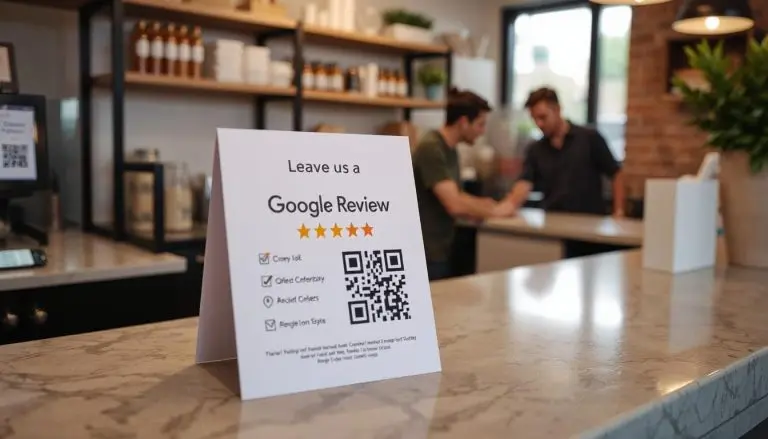
Use Google’s review link in:
- Follow-up emails
- Text messages
- Receipts
- Invoices
- Thank-you pages
- Post-service messages
Request the review at a natural point after the customer has had enough time to evaluate the service.
5. Monitor new reviews
Review alerts should reach someone empowered to investigate and respond. Fast, thoughtful replies prevent small complaints from appearing ignored.
Can a Reputation Management Company Really Delete Bad Google Reviews?
No outside company can directly delete customer reviews from your Business Profile or guarantee that Google will remove them.
A competent provider can:
- Audit reviews against Google’s policies
- Gather and organize evidence
- Submit reports through authorized accounts
- Prepare an appeal
- Draft public responses
- Monitor new activity
- Build a compliant review-request process
Be skeptical of anyone promising guaranteed deletion, claiming special access to Google, or offering to bury criticism with fake positive reviews.
You are paying for accurate analysis and careful execution—not control over Google’s final decision.
The Bottom Line
You cannot directly delete a negative Google review from your business profile.
You can report it when it violates a specific Google policy, monitor Google’s decision, and file one appeal if it remains eligible. If the review is genuine and policy-compliant, focus on a professional response, fixing any legitimate issue, and asking all appropriate customers for honest feedback.
The most effective process is straightforward:
- Save the review and supporting evidence.
- Identify the exact Google policy involved.
- Submit one accurate report.
- Monitor its status.
- Use the one-time appeal if appropriate.
- Respond professionally while waiting.
- Build a compliant process for earning genuine reviews.
That is less exciting than a guaranteed “review deletion” service—but it is accurate, repeatable, and far less likely to create a larger reputation problem.
Frequently Asked Questions
Can a business owner turn off Google reviews?
No. An eligible Google Business Profile does not provide a setting that lets its owner disable reviews at will.
Google may temporarily restrict user-generated content in unusual situations, but this is controlled by Google rather than the business.
Can I delete a one-star Google review?
You cannot directly delete a one-star review posted by someone else. You can report it if it violates a Google policy. Its star rating alone is not grounds for removal.
Will Google remove a review from someone who was not a customer?
Potentially—but not automatically.
Google prohibits content that is not based on a genuine experience. However, someone may interact with a business without appearing in its customer records. Your report should provide specific evidence that the experience did not occur or that the review describes the wrong business.
How long does Google review removal take?
Google says review evaluation typically takes several days. Actual timing can vary. Monitor the report in the Reviews Management Tool rather than submitting duplicate reports.
How many times can I appeal Google’s decision?
Google currently provides a one-time appeal for eligible reviews after an initial decision finds no policy violation.
Does responding to a review hurt my removal request?
A professional response does not prevent you from reporting a policy violation. Because the review may remain visible during evaluation, responding can help reassure prospective customers.
Can I offer a refund if the customer removes the review?
Do not make a refund, discount, free service, or other benefit conditional on removing or changing a review. Resolve legitimate customer issues without attaching conditions to what the customer posts.
Can I sue someone over a false Google review?
Possibly, depending on the facts and applicable law, but not every unfair or inaccurate statement is legally actionable. Speak with a qualified attorney before making legal threats or pursuing a legal-removal process.
📄 Download a PDF of This Article